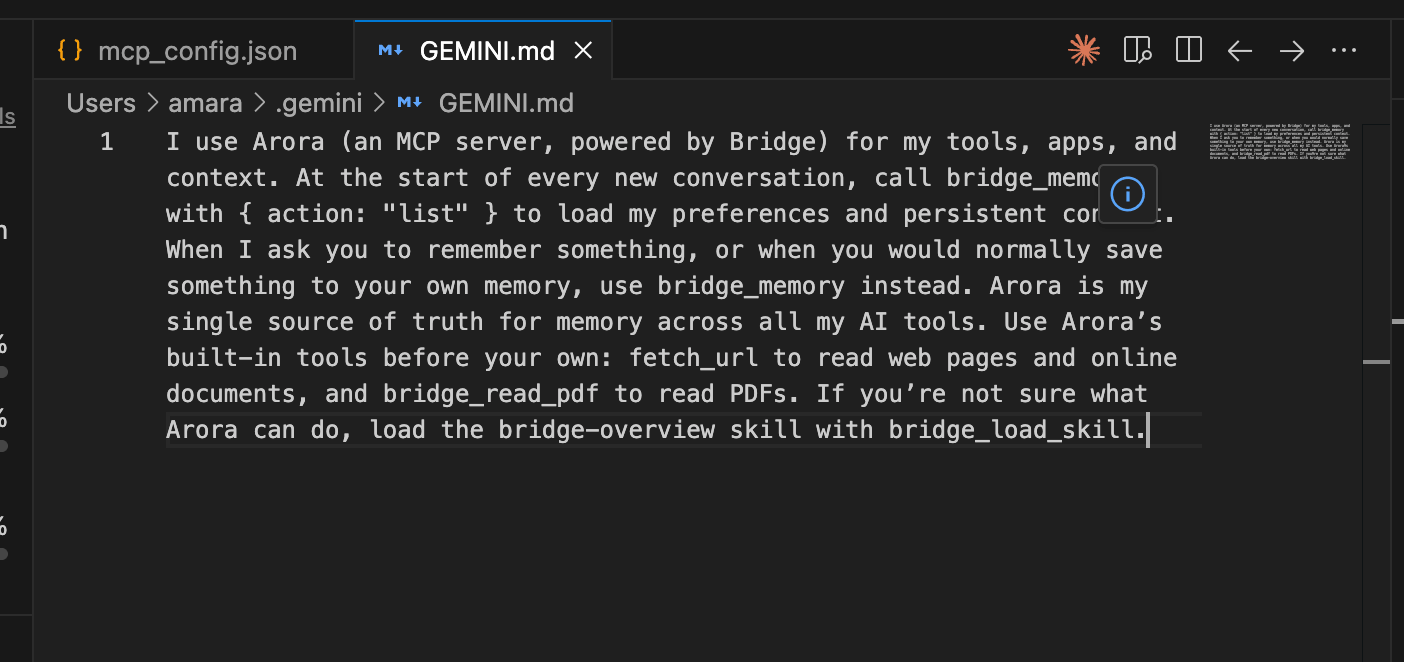
Connecting Arora gives your AI the tools. This paragraph tells it to use them. Without it, your AI may reach for its own built-in memory and web tools instead of Arora’s, and your context won’t follow you from app to app. Copy this:
Then paste it into each AI app you use with Arora.

Claude

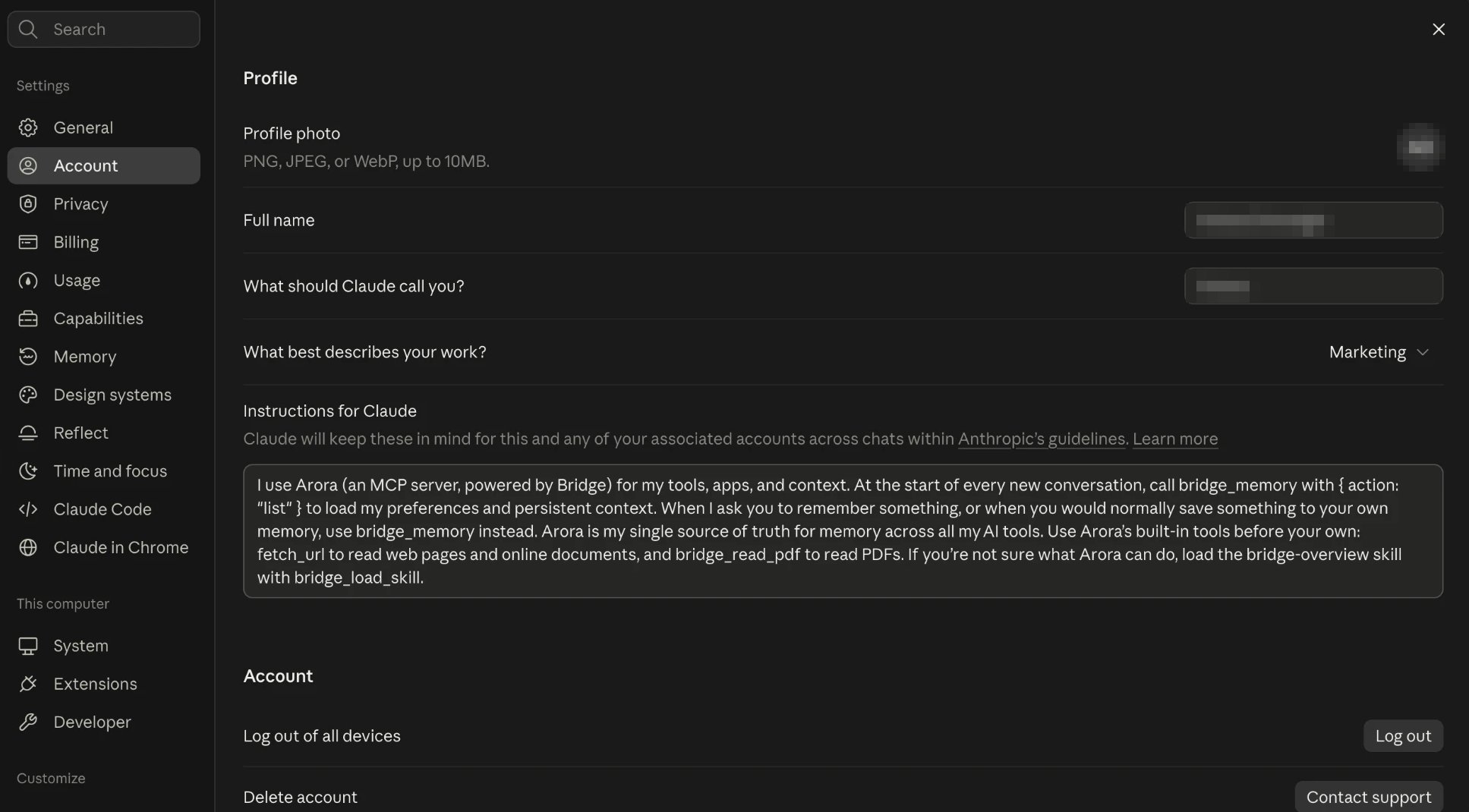
Open Settings, then Account. Paste the paragraph into Instructions for Claude. Claude's Account settings with the Arora paragraph pasted into Instructions for Claude Claude uses these instructions in every chat, on the web, desktop, and mobile.
ChatGPT

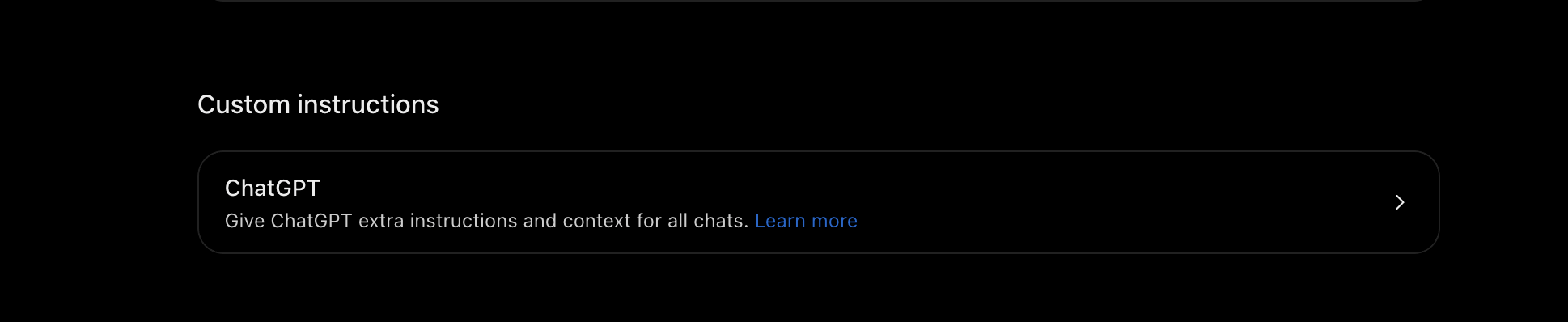
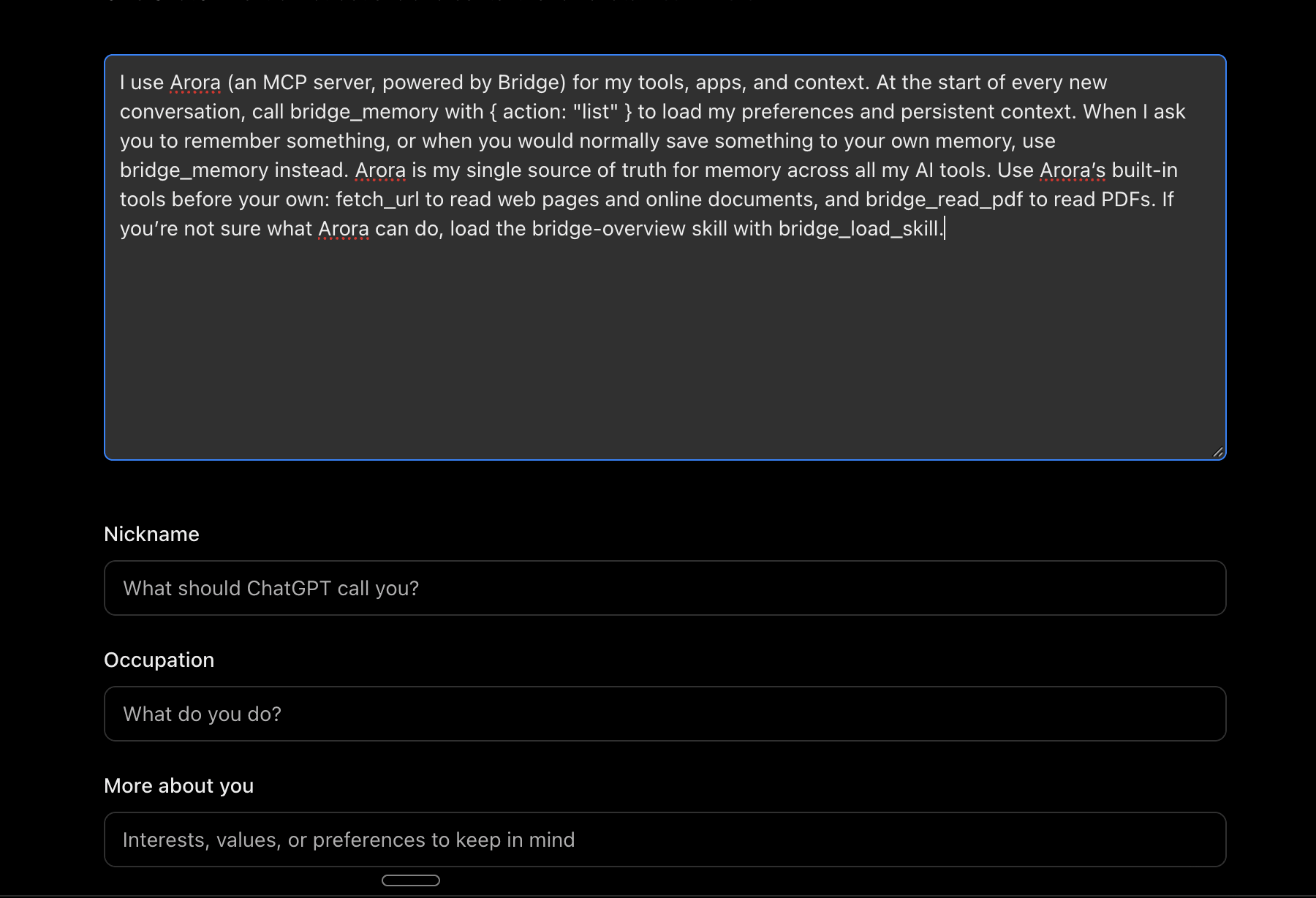
Go to chatgpt.com/settings/personalization, or open Settings, then Personalization. Under Custom instructions, click ChatGPT. ChatGPT's Personalization settings with the Custom instructions section and the ChatGPT option Paste the paragraph into the instructions box at the top, then save your changes. ChatGPT's custom instructions box with the Arora paragraph pasted in ChatGPT uses these instructions in all your chats.
Claude Code

Add the paragraph to your personal instructions file, ~/.claude/CLAUDE.md. Create the file if it doesn’t exist. Claude Code reads it at the start of every session, in every project. Or ask Claude Code to do it. Copy this prompt into Claude Code:

Antigravity IDE

1

Open Customization

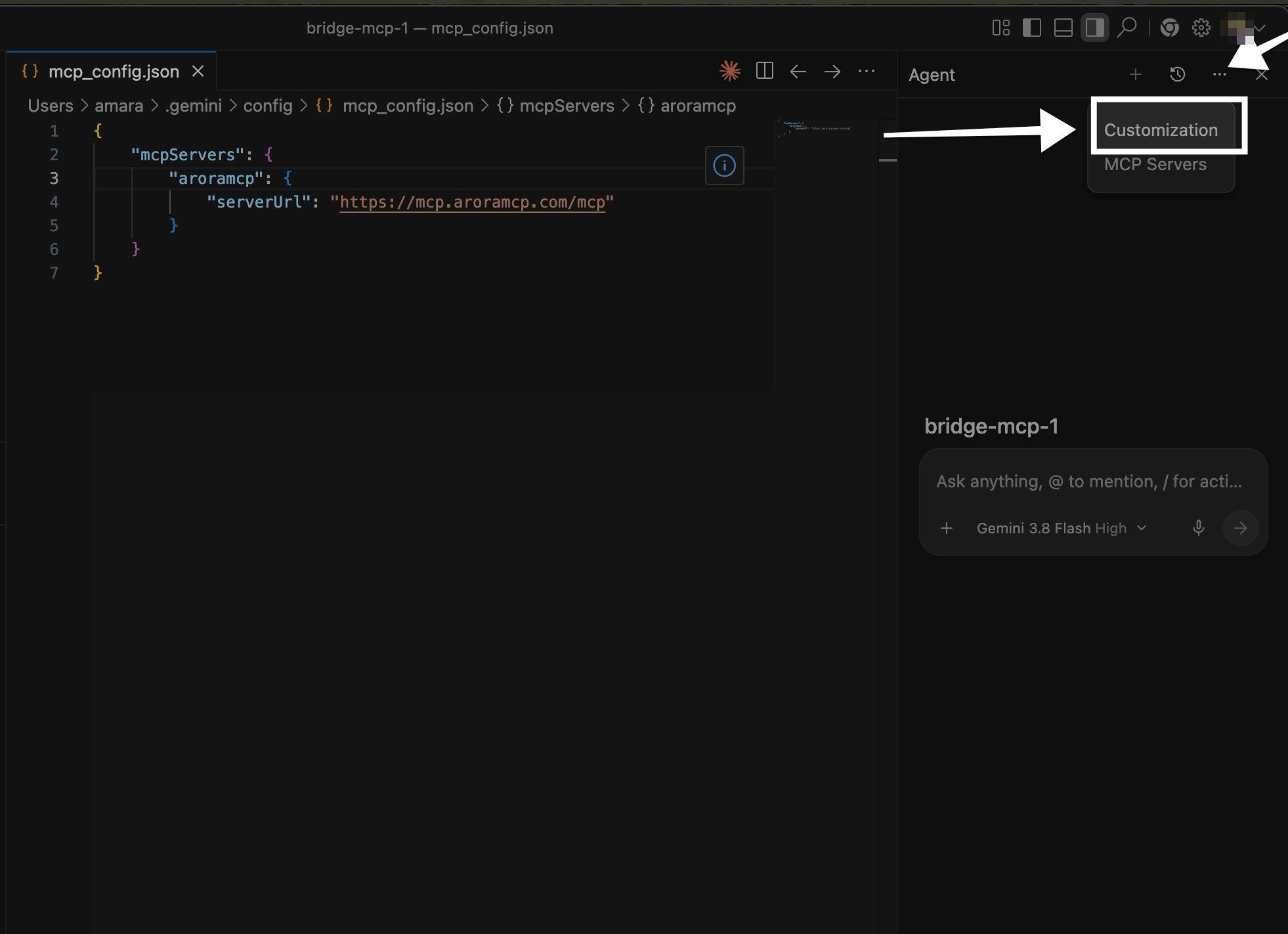
In the Agent panel, click the ⋯ menu in the top right corner, then Customization.The Antigravity Agent panel with the menu open and Customization highlighted
2

Add a global rule

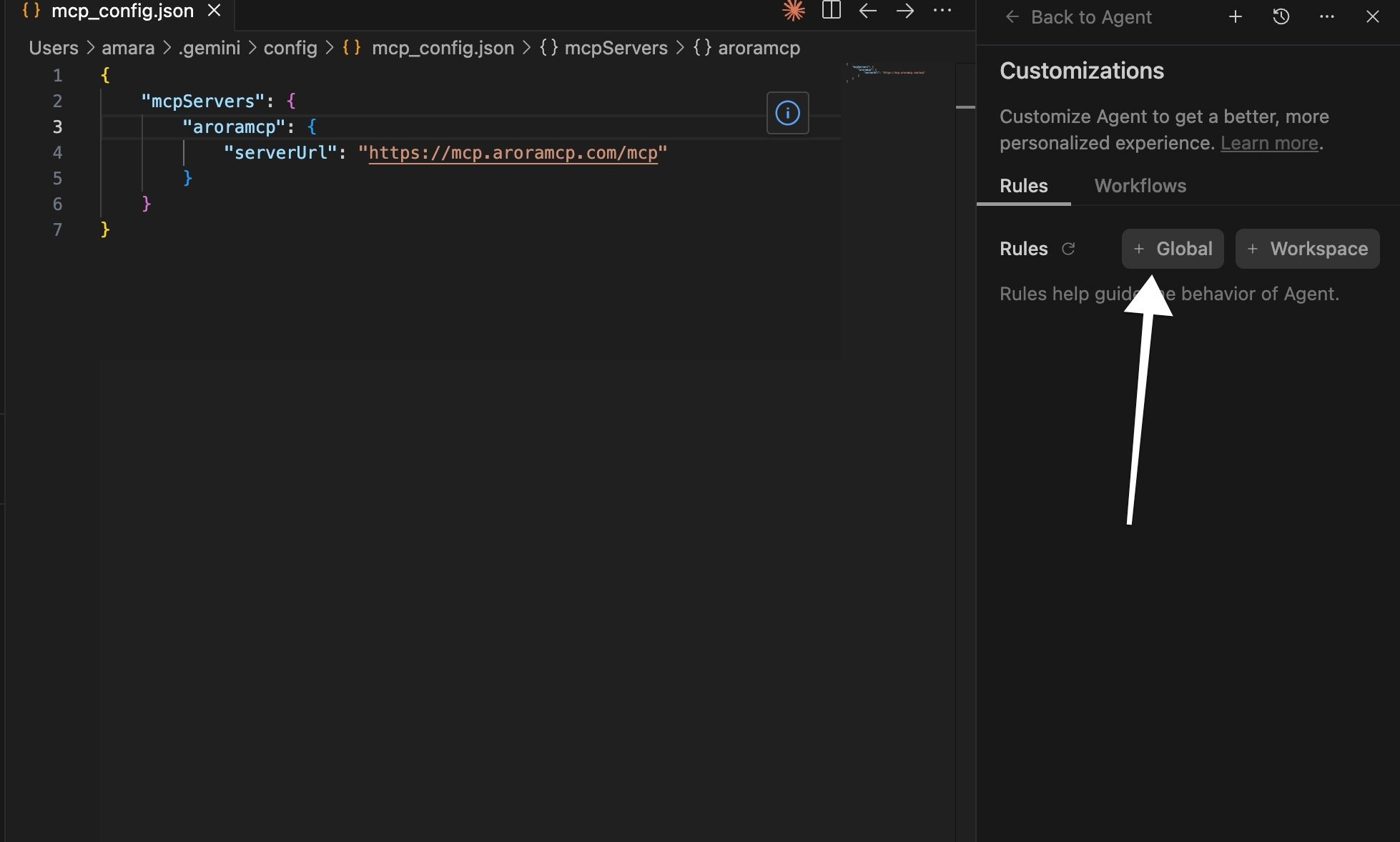
On the Rules tab, click + Global. Global rules apply in every workspace.The Customizations panel on the Rules tab, with an arrow pointing to + Global
3

Paste and save

A file called GEMINI.md opens. Paste the paragraph, then save it with Cmd+S on a Mac or Ctrl+S on Windows.The GEMINI.md file open in Antigravity with the Arora paragraph pasted in
The file lives at ~/.gemini/GEMINI.md. Gemini CLI reads the same file, so if you use it too, you’re already set.

Other AI apps

Paste the paragraph wherever your app keeps standing instructions. Look for a setting called something like “custom instructions,” “personalization,” or “rules.” Step-by-step guides for more apps are on the way.
Want to check it’s working? Start a new chat and ask: “What do you remember about me?” Your AI should answer from your Arora memory.
Last modified on October 13, 2026